
Imagine you run your website through a scanner and it spits back a score, a pile of red warnings, a few green checks, and a bunch of terms you never use in normal life.
Canonical. Robots. Structured data. Core Web Vitals. Render-blocking resources.
That is the moment most business owners stop reading.
Not because they do not care, but because the report stopped feeling useful.
A good website scan should not make you feel stupid. It should make you clear. It should take a normal person, show them what matters, explain what the issue means, and tell them whether the problem is serious or just cleanup.
That is the frame to use when you read any scan, including ours.
Start With the Simple Question: Is the Site Healthy or Is It Not?
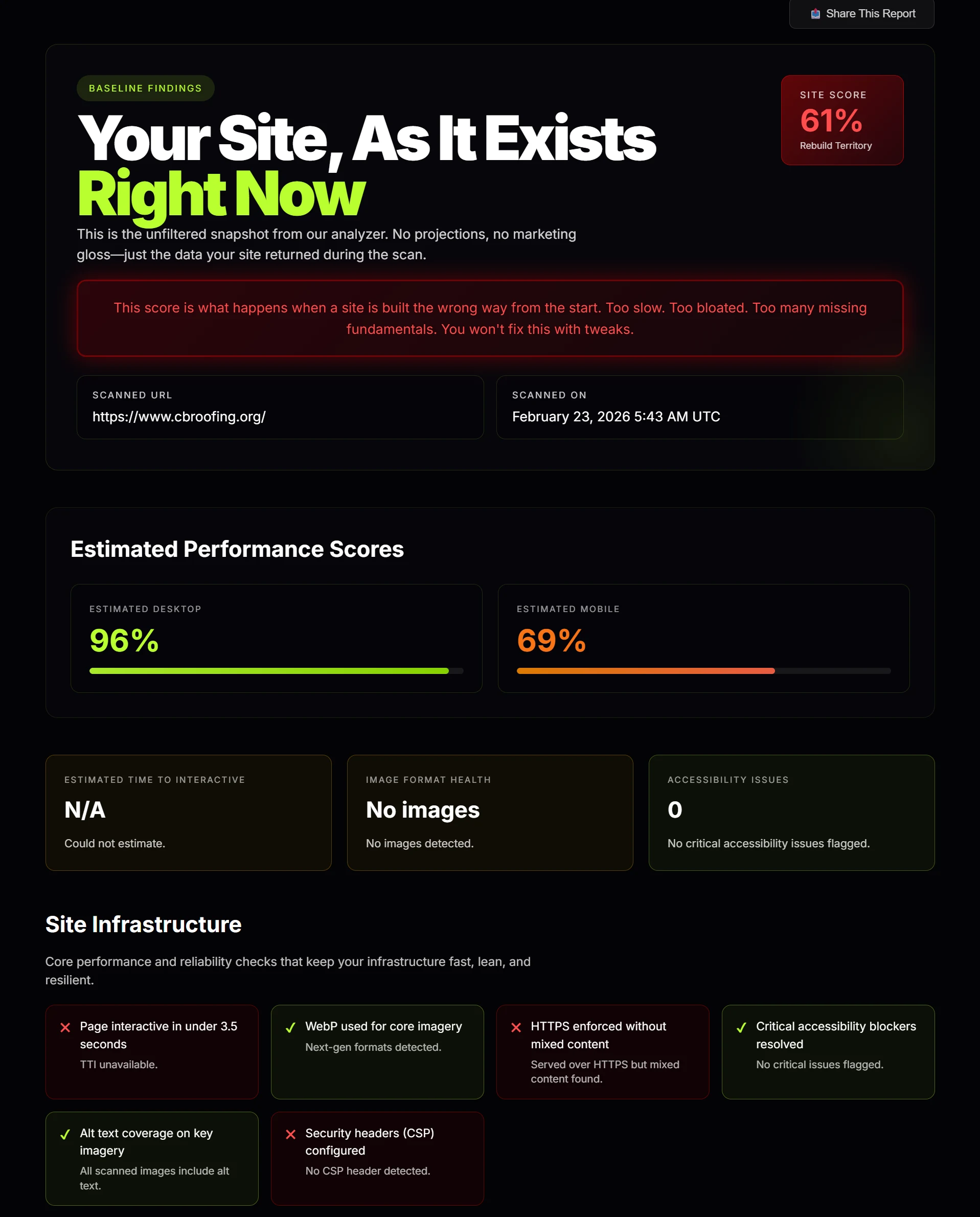
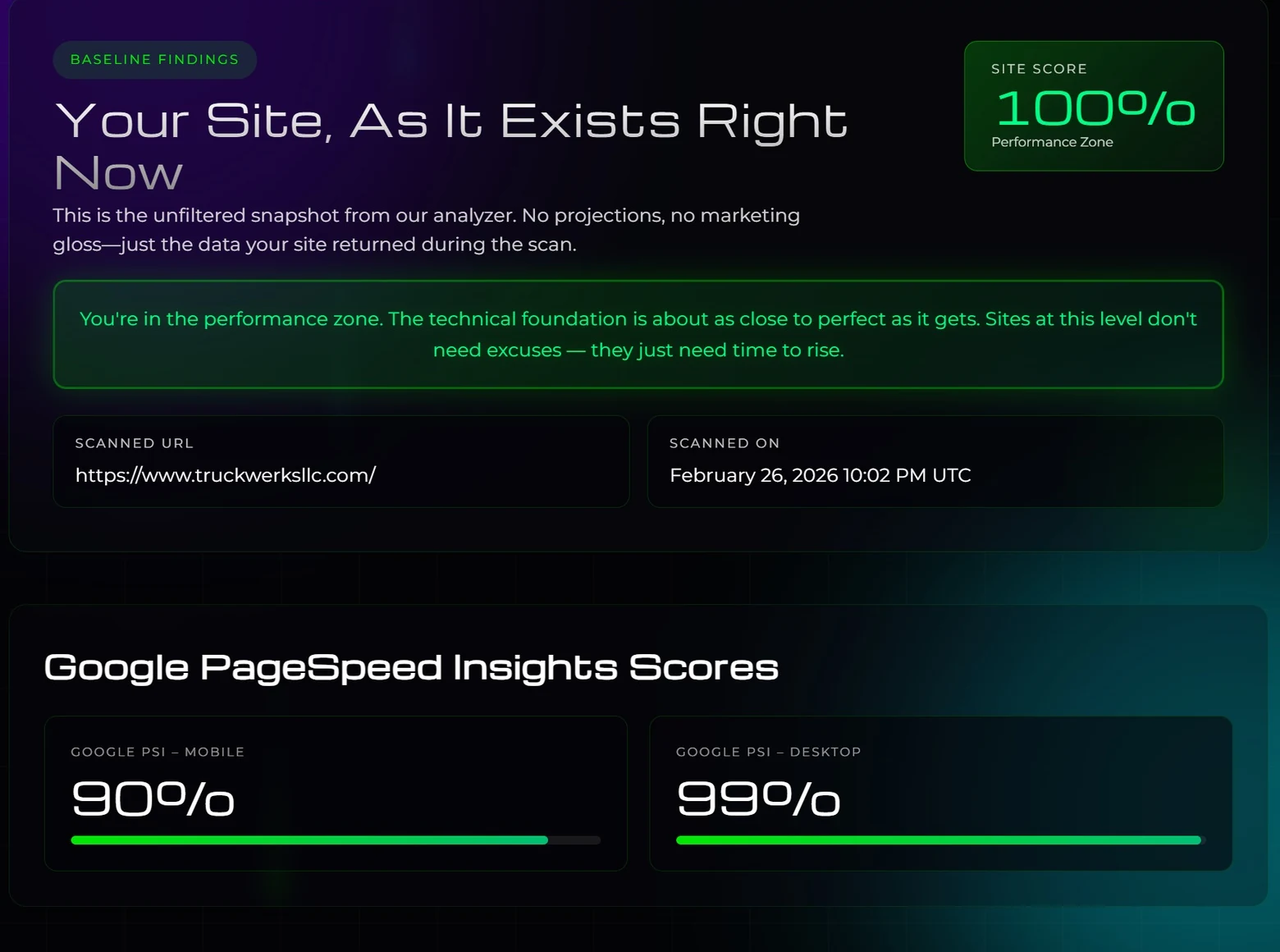
Before you worry about any technical terms, look at the overall score and the pattern of the report.
If the score is weak and you see red stacked across important sections, the site is not just missing polish. It has real problems. That usually means one of three things:
- Google is not getting clean signals from the site
- the site is slower than it should be
- the site was built with more attention on appearance than structure
If the score is strong, that does not automatically mean the business wins. It means the site is technically in decent shape and is not fighting itself.
That is an important difference. A healthy site still needs positioning, good content, and a real offer. But an unhealthy site makes all of that harder.
Then Split Everything Into Three Buckets
This is the easiest way for a non-technical person to read a report without getting lost.
Bucket 1: Critical Problems
This is the section that affects whether Google can crawl, understand, and index the site correctly.
Think of this as the foundation. If the foundation is broken, it does not matter how nice the kitchen looks.
These are the kinds of things that usually land here:
- missing title tags
- missing meta descriptions
- broken canonical tags
- robots or indexing mistakes
- document structure issues
- bad redirects or URL problems
- HTTP and HTTPS inconsistency
You do not have to know how to fix those yourself. You just need to know these are not cosmetic issues. These are infrastructure issues.
Bucket 2: Important Problems
This is where speed, mobile usability, images, and page experience live.
This bucket answers a different question: even if Google can process the site, does the site actually feel good enough to trust and use?
This is where you usually see things like:
- slow load time
- weak mobile scores
- oversized images
- too much CSS or JavaScript blocking the page
- bad caching
- missing or weak schema
This bucket matters because it hurts twice. It hurts rankings and it hurts conversion.
Bucket 3: Cleanup and Quality Signals
This is the layer that still matters, just not usually first.
Things like:
- Open Graph tags
- Twitter cards
- security headers
- accessibility labels
- favicons
- broken scripts or missing assets
These are quality signals, not usually the primary failure point.
That one distinction saves people a lot of confusion. Not every red warning carries the same weight.
What the Report Is Actually Trying to Tell You
Most people look at the scan like it is a list of random tests. It is better to think of it like a conversation.
The report is asking:
- Can Google crawl this site cleanly?
- Can Google understand what each page is about?
- Is the site technically trustworthy?
- Does it load fast enough to feel credible?
- Does it work well on mobile?
- Is the structure clean enough to support rankings?
That is really it.
The scanner is not trying to win a nerd contest. It is trying to answer whether the site is structurally helping the business or structurally holding it back.
Here Is What Those Common Terms Mean in Normal Language
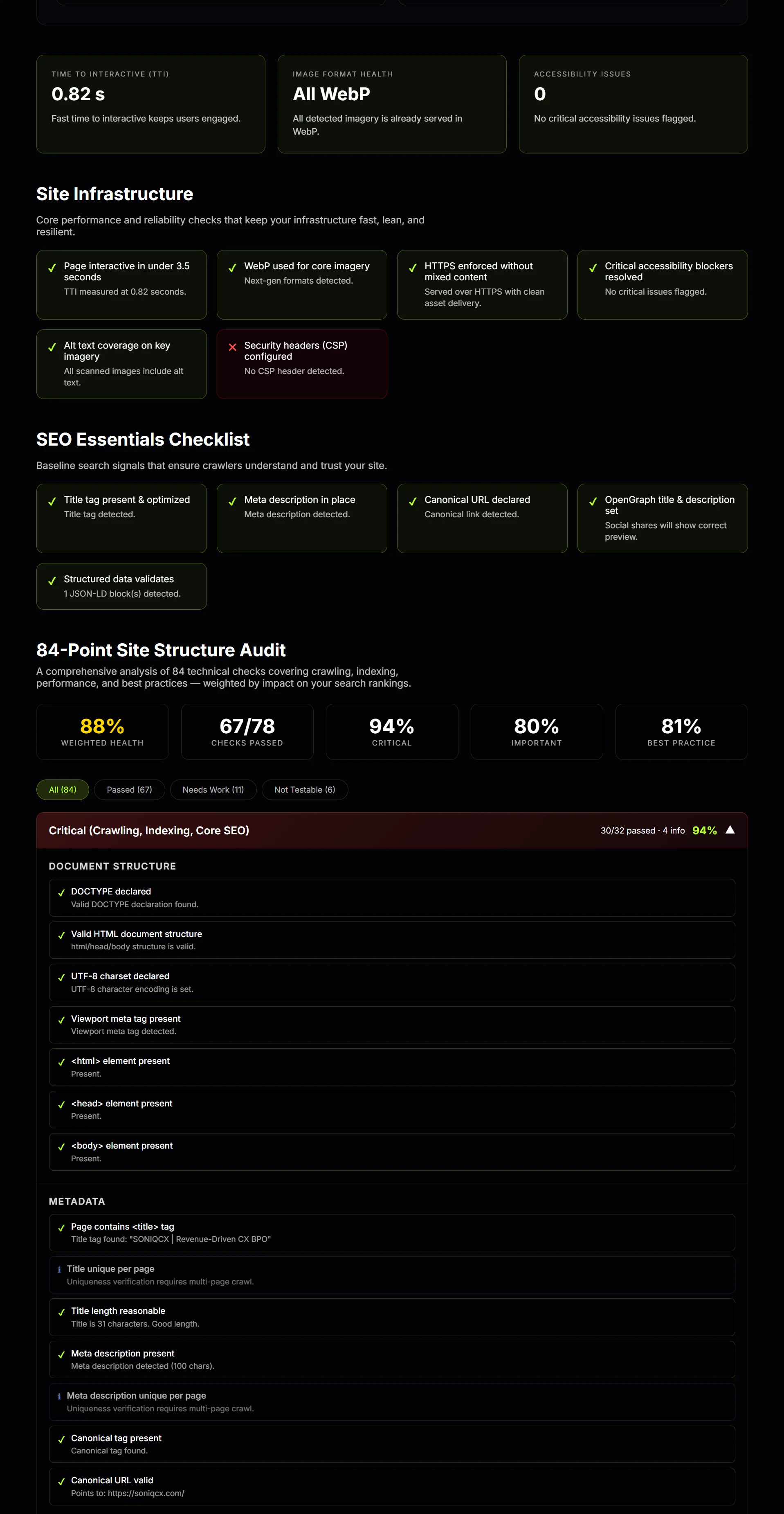
Title tag: the name of the page Google sees. If it is missing or weak, Google has less clarity about what that page is.
Meta description: the short summary connected to the page. It does not carry the same weight as the title, but it still affects clarity and click behavior.
Canonical: the page telling Google which version is the real version. If that signal is wrong, Google can get confused about duplicates and index the wrong page.
Robots: instructions for crawlers. If this is set up badly, you can accidentally tell search engines to avoid pages you actually want ranked.
Sitemap: a structured list of important URLs. Think of it as an organized map of the site for search engines.
Structured data or schema: extra machine-readable information that helps search engines understand what the page represents beyond just visible text.
Core Web Vitals: speed and usability metrics. In plain English, how fast the page loads, how stable it is, and how responsive it feels.
Render-blocking resources: files that delay the page from showing useful content quickly.
Accessibility: whether the site is built in a way that is usable, labeled, and structurally clear. This often overlaps with build quality in general.
What Google Actually Cares About
Google cares about whether a site can be crawled, rendered, understood, and trusted. Then it cares whether the experience is fast enough and useful enough to deserve visibility.
That means Google cares about:
- clear page structure
- clean metadata
- correct canonical setup
- indexability
- mobile usability
- page speed
- internal structure
- technical consistency
What Google does not care about is whether the site looked expensive in the sales process.
That is where people get burned. They buy design. They assume design means quality. Then they run the site through a real scanner and realize the site is bloated, slow, technically messy, and missing fundamentals.
A pretty site can still be weak.
How a Normal Business Owner Should Read the Report
If you are not technical, this is the easiest way to go through it:
- Check the overall score. Is the site broadly healthy or broadly weak?
- Check the critical section first. If that is full of red, start there. That is the structural layer.
- Check speed and mobile next. Slow sites lose trust fast.
- Check images and page weight. This often explains why a site feels heavier than it should.
- Treat best-practice misses as cleanup, not panic. Fix them, but do not confuse them with foundational damage.
That approach keeps people from getting distracted by minor issues while the real problems stay untouched.
What a Good Website Scan Should Leave You With
A good report should leave you with clarity, not dependency.
You should walk away knowing:
- what is broken
- what is serious
- what is secondary
- what Google likely sees
- what should get fixed first
That is the whole job.
If the report just makes you feel overwhelmed, it failed. Technical information should create understanding, not fog.
If you want to see what your own site looks like without the fluff, run it through the free website scan. It will show you what matters, what is secondary, and where your site is quietly holding itself back.